
Digital files built for effortless cutting
Shop multi-layered 3D shadow boxes and precision laser-cut templates. Every download includes organized, ready-to-cut SVG, DXF, EPS, PDF and PNG formats.
The best products
How it works
-
Download the files
Every layer sits in its own folder, in five formats. Open the one your machine reads.
-
Cut each layer
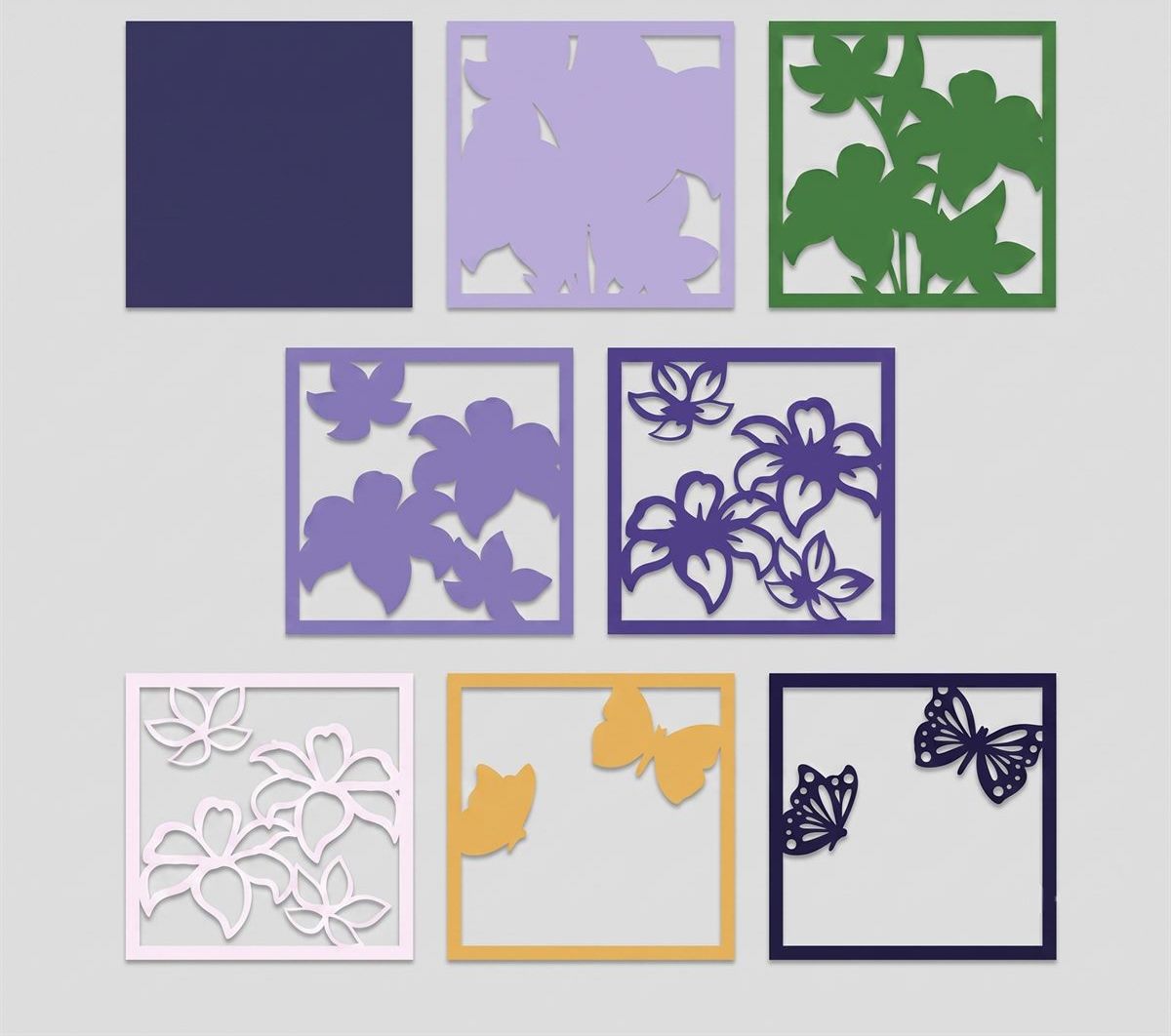
Use one sheet of cardstock per layer, in the colors you like. Layer 1 is the back.
-
Stack and frame
Put foam spacers between the layers and fit the stack in a frame with an 8.5 × 8.5 in opening. A matching frame design comes with every file set.
What's in the download
- SVG
- Vector file for Cricut Design Space and most cutting software
- DXF
- Cutting data for laser cutters and CAD programs
- Printable layout, for cutting by hand
- EPS
- Scalable vector for design programs
- PNG
- Transparent image of each layer
Questions
Do I get a printed or framed piece?
No. You get digital files to download and cut yourself. Nothing is shipped.
What size is the finished shadow box?
The layers fit a frame with an 8.5 × 8.5 in inner opening. Vector formats can be scaled up or down in your cutting software if you use a different frame.
Which machines can cut these files?
Cricut, Silhouette and laser cutters. Use the SVG for Cricut and most cutting software, and the DXF for lasers.
Is the frame included?
Every product comes with a matching frame design you can cut too. A wooden shadow box frame with an 8.5 × 8.5 in opening works as well.
How many sheets of cardstock do I need?
One per layer. Products have between 6 and 10 layers, and the count is listed on each product.